rypox apps

Fahrtenbuch

A mileage log that almost keeps itself. Get in the car and once your phone connects via Bluetooth, the app records the trip. Afterwards you mark it as business, commute or private with a single tap, ready for the tax office.
For Android • No account • Data stays on your device

Fahrtenbuch: record trips automatically, sort them with a single tap

A look inside

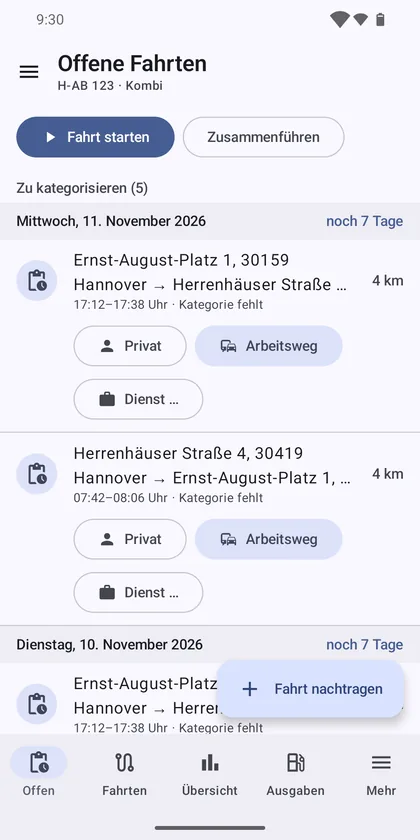
  • Open trips by day with time left and buttons for private, commute and business
    Open trips
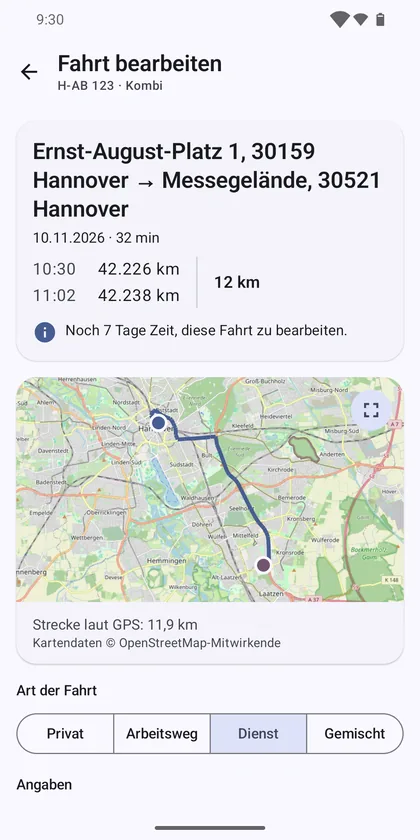
  • A trip with start and destination address, odometer readings and the GPS track on an OpenStreetMap map
    Trip with map
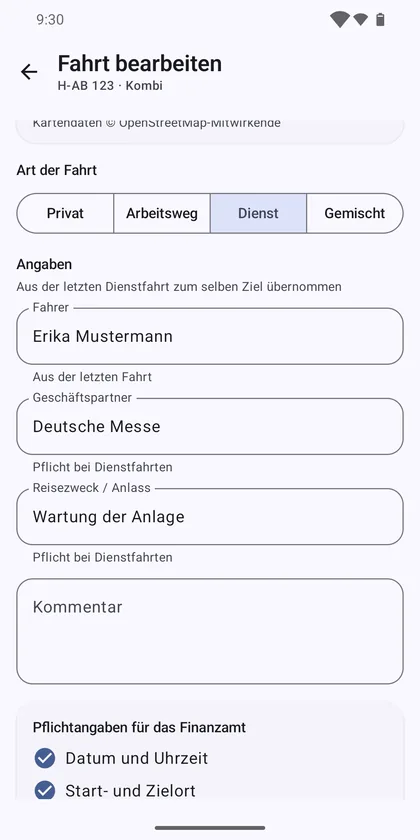
  • A business trip with driver, business partner and purpose, taken over from the last trip to the same destination
    Business trip
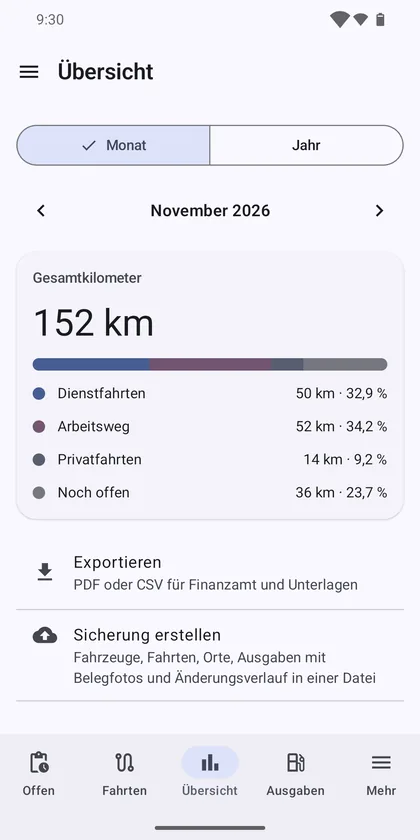
  • Monthly overview with total distance split into business, commute, private and open trips
    Overview
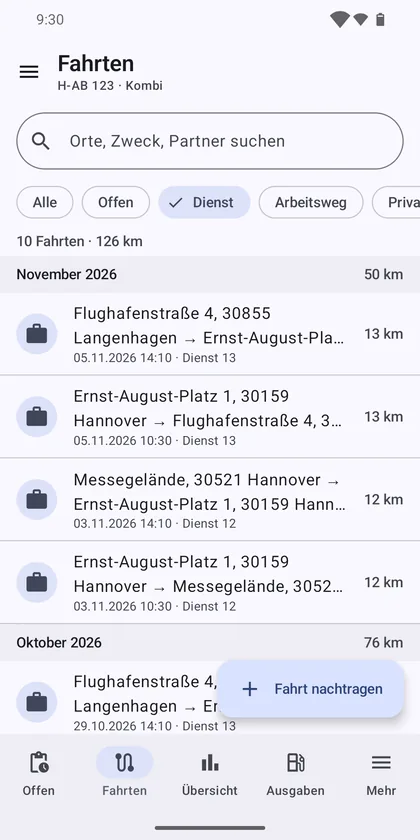
  • List of business trips with search and filters by trip type
    Trips

Sample data at public places in Hanover. The app is in German.

What the app does

Records automatically

Bluetooth and GPS

  • Start and end of a trip from the Bluetooth connection to your car, even with the phone locked
  • Route via GPS, start and destination address, suggested odometer reading
  • Start by hand with a button, quick settings tile or app shortcut; the connected car is preselected
  • Add trips later, merge short trips

Sort in a tap

One tap per trip

  • Open trips by day with the time left; private or commute with a single tap
  • Business trips: purpose, business partner and driver suggested from earlier trips
  • Split mixed trips into business, commute and private
  • Saved places (home, work, customers) sort trips automatically
  • Reminder before open trips are locked

Ready for the tax office

Check, lock, export

  • Checklist of the required details for each trip
  • Gap check of odometer readings
  • Change history for each trip; every trip is locked 7 days after it ends (adjustable)
  • Export as PDF and CSV, monthly and yearly overview

Vehicles and costs

Everything about the car in one place

  • Several vehicles with licence plate check
  • Expenses (fuel, charging, garage, parking …) with a photo of the receipt
  • Map of every trip with its GPS track
  • Import of a mileage log export in CSV format

Your data stays with you

No account, no server of our own

No account, no cloud, no ads, no analytics or tracking services. All data lives on your device; backup and restore as a ZIP file including receipt photos. App lock with fingerprint or PIN.

The app uses your location in the background only while the phone is connected to your car and recording a trip. Addresses come from your device's geocoder, maps from Google Maps (OpenStreetMap on devices without Google Play services). The details are in the privacy policy.

Frequently asked questions (FAQ)

How does the app know I am driving?
You assign your car's Bluetooth device to each vehicle. When the phone connects to it, recording starts, even with the phone locked; when the connection ends, so does the trip. Without Bluetooth you start a trip with a button, quick settings tile or app shortcut.
Will the tax office accept the log?
The app helps, but it cannot guarantee it. Its checklist asks for date and time, start and destination, the odometer reading at the start and end of each trip and, for business trips, the purpose and business partner; it also checks for gaps between odometer readings. Every change is kept in the change history with the old and new value and the time. Seven days after a trip ends (adjustable) it is locked and can only be read, so trips are recorded promptly. Whether a log is accepted is up to the tax office in the end.
How do I get my trips for the tax return?
As PDF or CSV, along with a monthly and a yearly overview. You pass the file on wherever you like through the Android share menu.
Where is my data stored?
On your device. The app has no account and no server of its own. Your log only leaves the device when you create an export or backup yourself and share it.
Can I keep a log for several vehicles?
Yes. Each vehicle has its own licence plate and Bluetooth device; you record expenses such as fuel, charging, garage or parking with a photo of the receipt.
Which languages does the app support?
The app is in German, because it is built for the German tax rules on company cars.
Where do I get the app?
Fahrtenbuch for Android is available on Google Play: Fahrtenbuch on Google Play.