TopCalendar for iPhone and iPad
A calendar that shows your events across the whole year. TopCalendar shows the calendars already set up on your iPhone or iPad: from iCloud with your Apple Account, from Google or Exchange. Your events stay there. There is no account with us.

Free download. TopCalendar Pro as a yearly subscription with a 14-day trial or once as Lifetime.
-
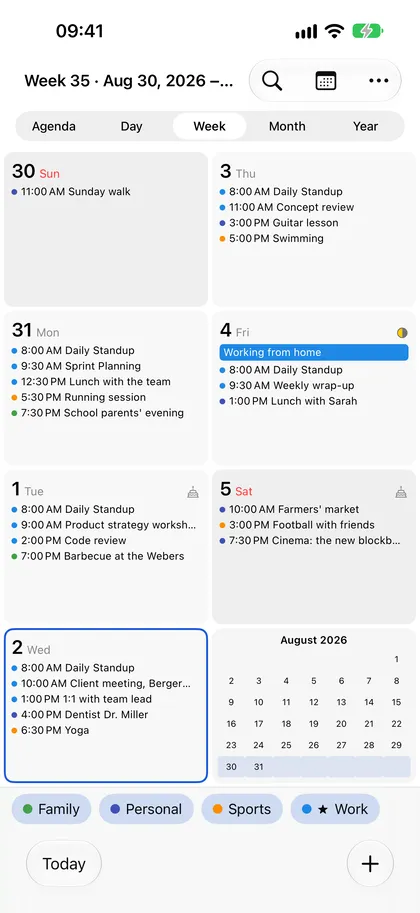 Week
-
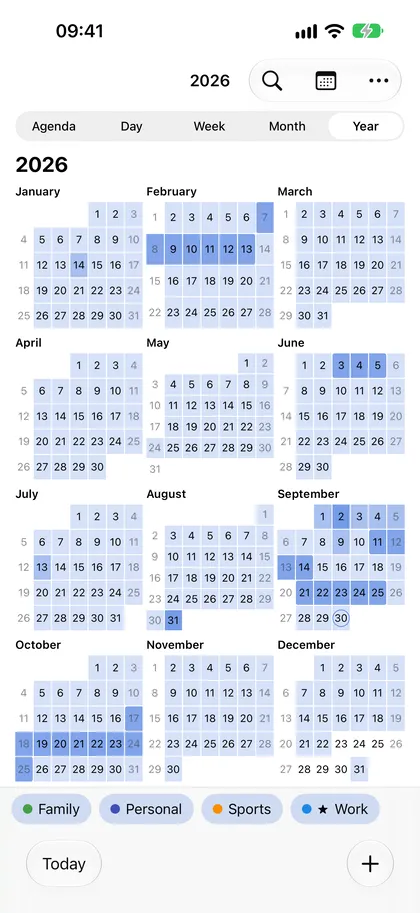 Year
-
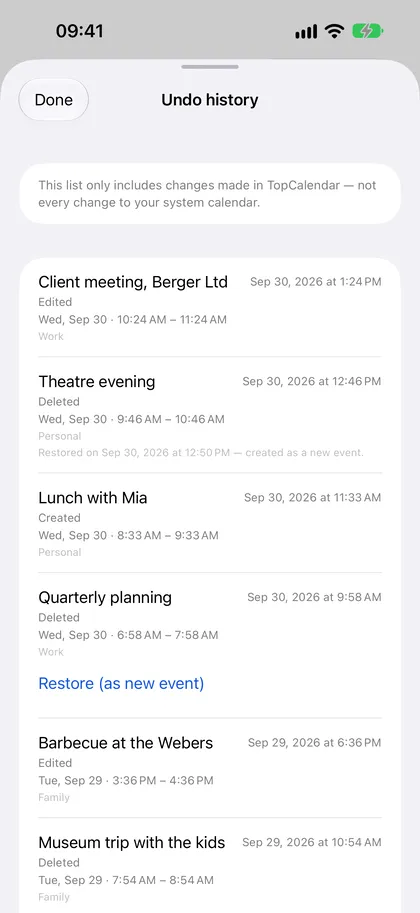 History
-
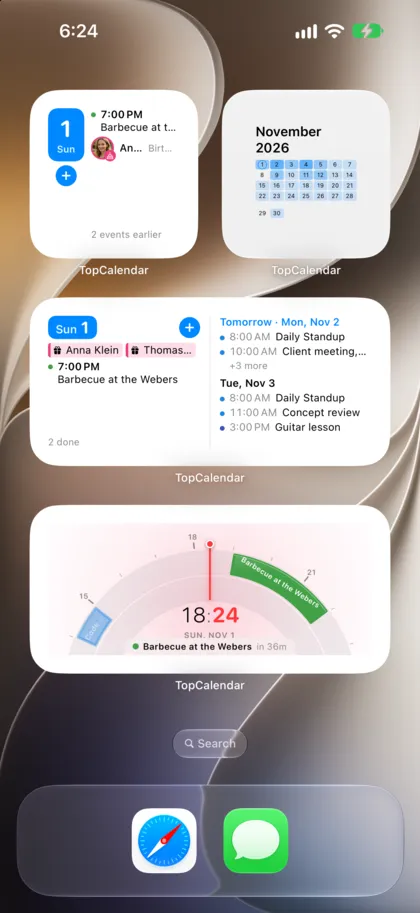 Widgets
What TopCalendar does
Swipe, don't search
Swipe sideways to change the view: year, month, week, day and agenda. Swipe up and down to move through time. The day under your finger comes along when you switch.
A year with events
The year view shows how busy each day is, multi-day events across their full length. Free weeks for time off are easy to spot.
Widgets
Month, day, three days and the Day Arc on your Home Screen, your next event on the Lock Screen and in StandBy.
History
A page of its own shows what you changed in TopCalendar, with calendar and account, and brings a deleted event back. Even if you notice hours later.
Birthdays
From your contacts or the birthday calendar, right in the day and in the list.
Siri and Shortcuts
Say or type an event as a sentence. If it is clear, TopCalendar adds it right away, otherwise the app opens for you to confirm.
TopCalendar Pro
TopCalendar Pro includes the Day Arc as a view and widget, the Next Event widget for the Lock Screen and StandBy, the full history for restoring, copying events to several days, all birthdays in the list and statistics. Choose the yearly subscription with a 14-day trial or the one-time Lifetime purchase. Prices are shown in the App Store.