
Setting up DAVsky with Radicale
Radicale is a lightweight CalDAV and CardDAV server you host yourself. DAVsky syncs Radicale calendars, address books and task lists with your Android device, in both directions. We test DAVsky with Radicale 3 on a regular basis, most recently in November 2026 with version 3.9.2. Events show up in any calendar app, such as the Google Calendar app or our app TopCalendar.

No ads • No third-party trackers • Your server
Setup in five steps
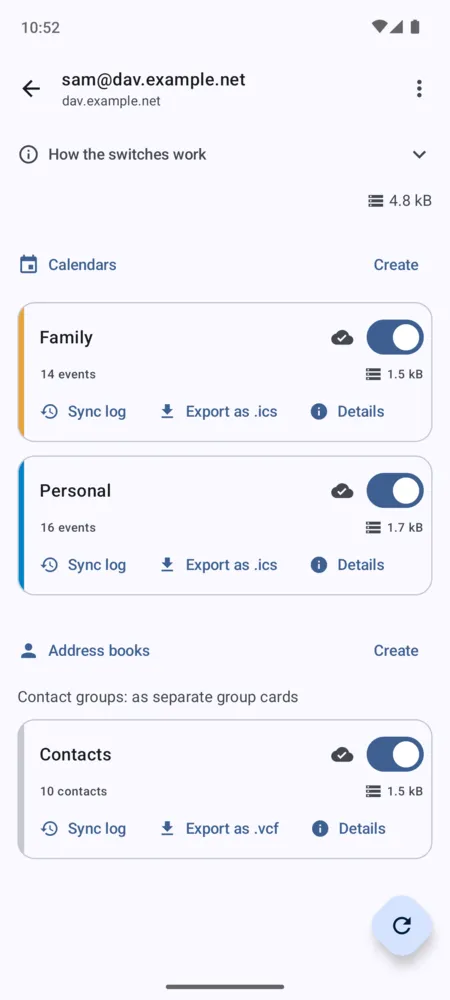
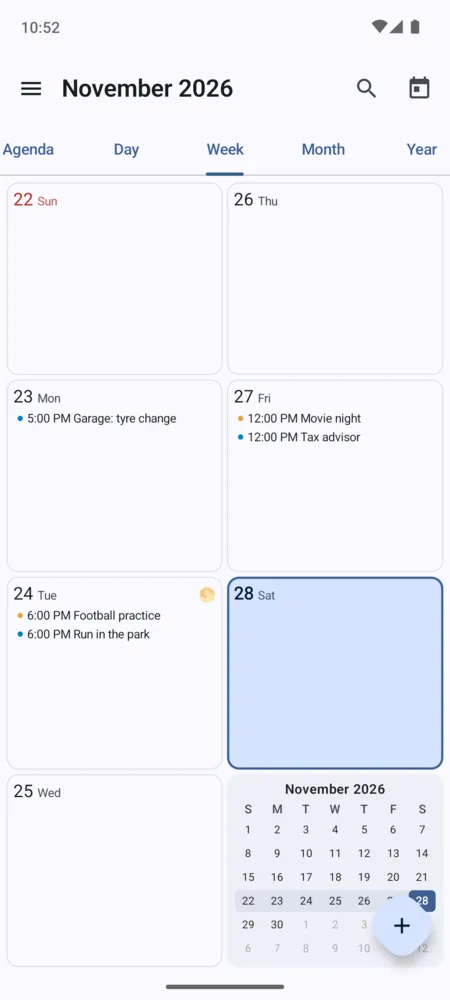
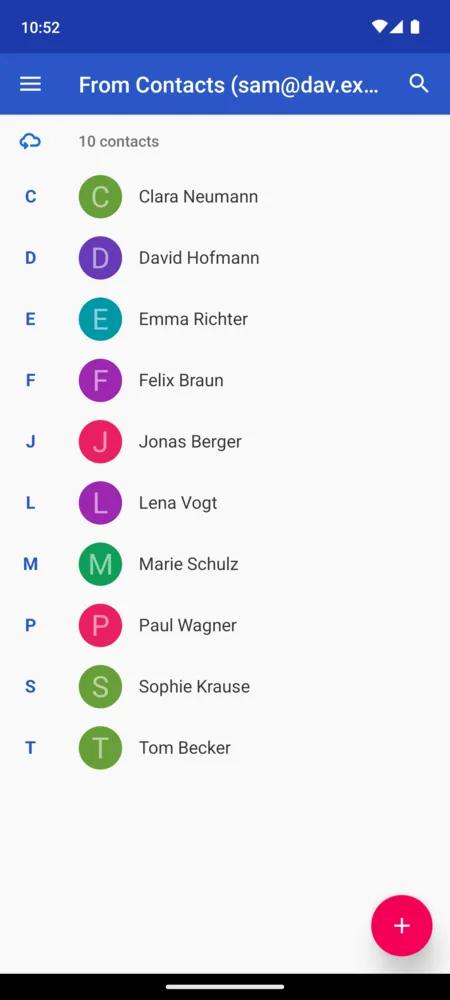
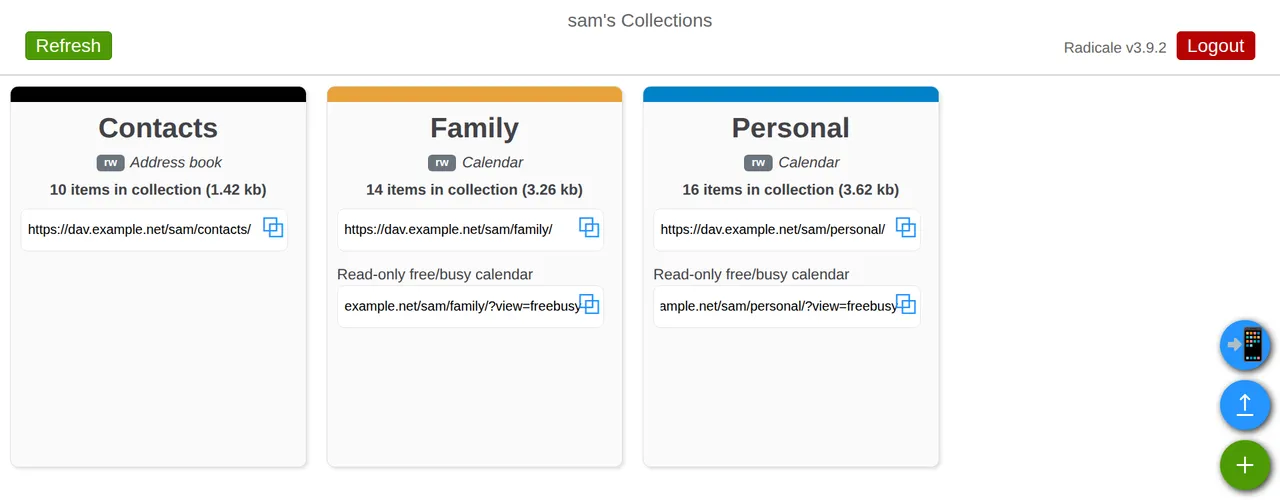
The pictures come from one of these tests: our own Radicale server at the example address dav.example.net, with made-up events and contacts.
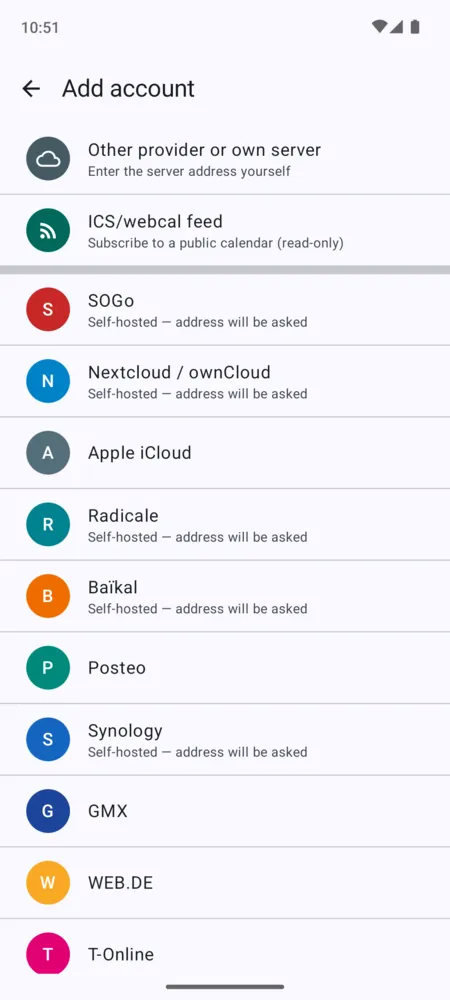
- 1. Choose Radicale.In DAVsky, tap “Add account” and pick “Radicale” from the list.
- 2. Enter the address and your login.Enter your server's address; username and password are your Radicale login. The address is enough without a path, DAVsky finds calendars and address books on its own. If Radicale runs directly on port 5232, include the port, for example
radicale.example.net:5232. Then tap “Connect”.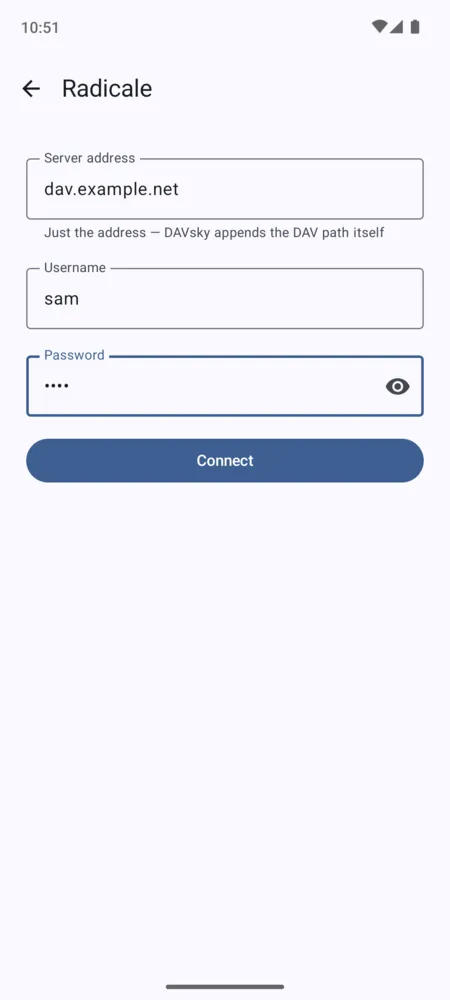
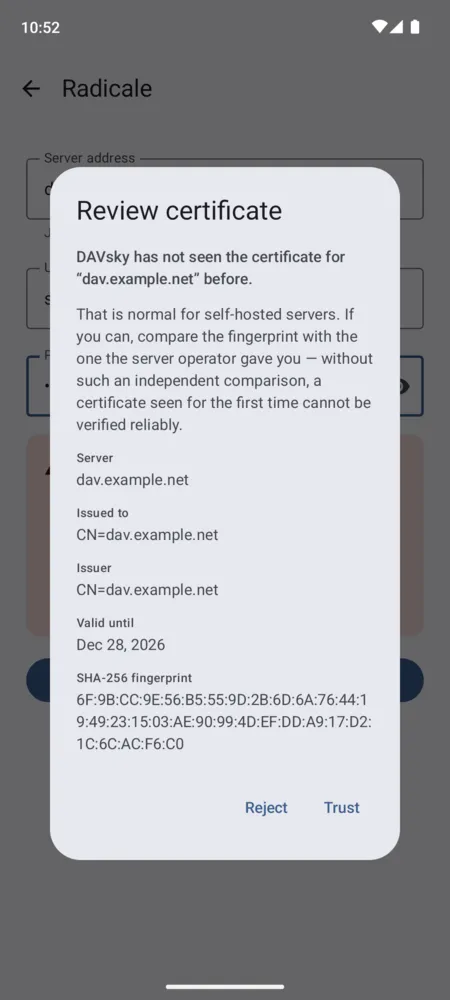
- 3. Confirm your own certificate.If your server uses a self-signed certificate, DAVsky shows its fingerprint once. Compare it with your server's and tap “Trust”. With a certificate from Let's Encrypt or another recognised authority, this question does not appear.
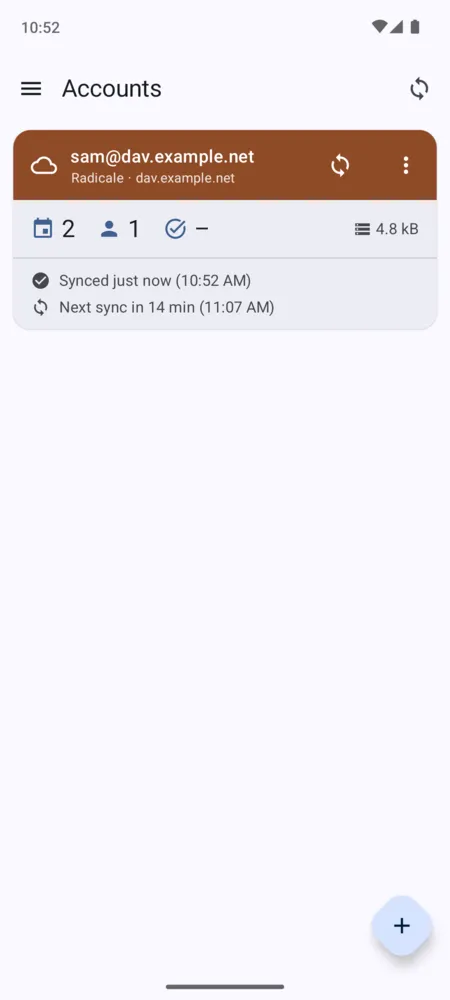
- 4. Done.The account shows up in the overview and is already synced: two calendars, one address book.
- 5. Choose what goes on your device.In the account view, switch each calendar and address book on or off. You can also create new calendars and address books on the server right here.
The result
Events appear in any calendar app, contacts in the device's contacts app. Whatever you change there reaches your server with the next sync.
On the server
The same calendars and address book in Radicale's web interface.
When something goes wrong
DAVsky tells you what is wrong, and it checks your input before it creates or changes anything. These cases come from the same test run, entered wrong on purpose.
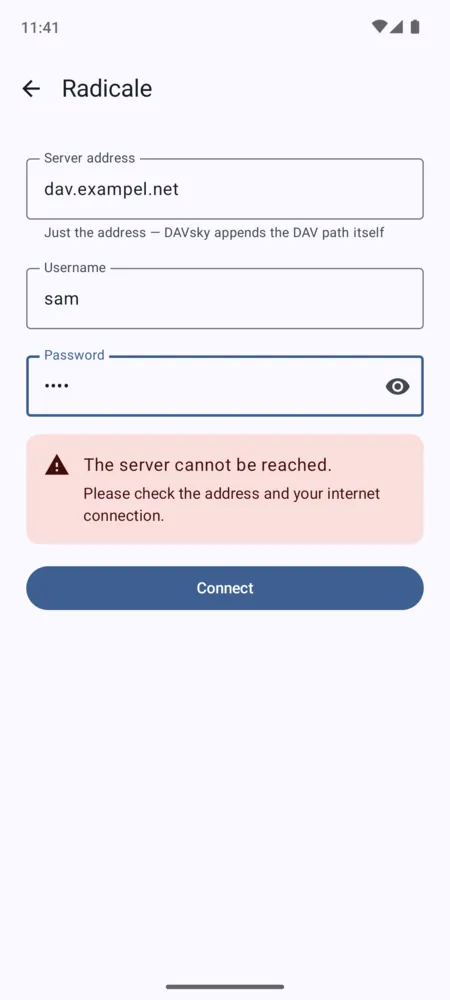
A typo in the address
dav.example.net became dav.exampel.net. DAVsky says “The server cannot be reached” and asks you to check the address and your internet connection. No account is created.
Wrong password
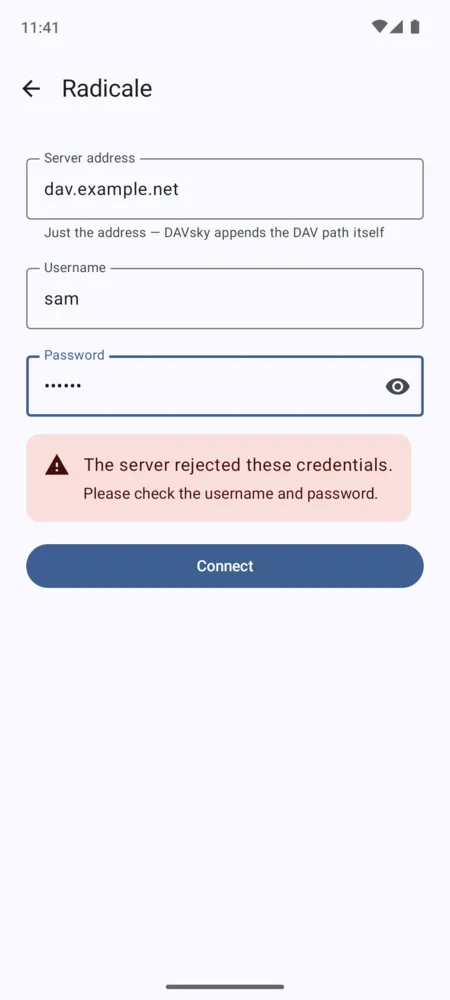
The address is right, the password is not. DAVsky says “The server rejected these credentials” and asks you to check the username and password. Again, no account is created.
The password changes later
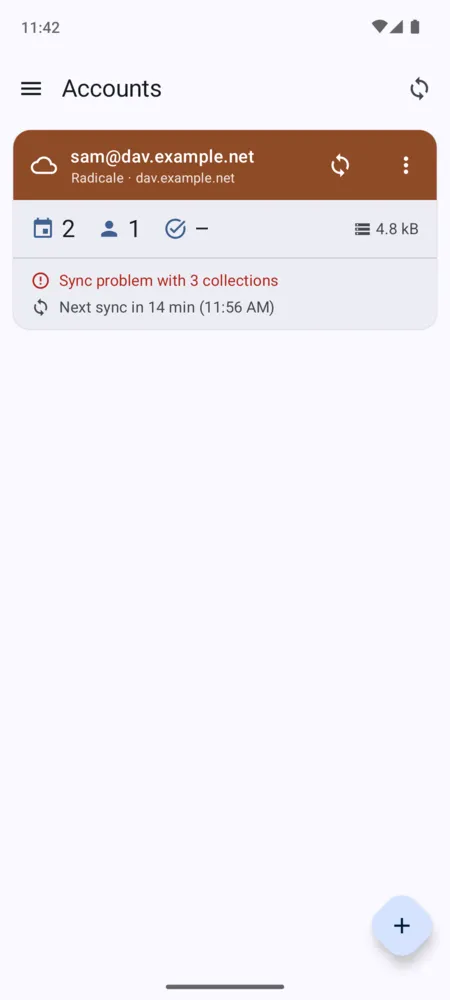
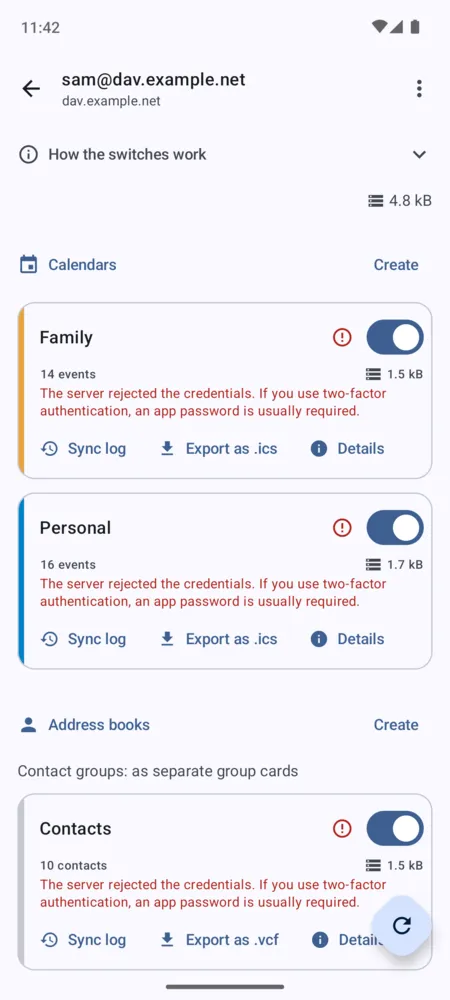
The account works, then the password is changed on the server. At the next sync the account card shows “Sync problem with 3 collections”, and the account view shows the reason on every calendar and address book. Your data on the device and on the server stays as it is, and DAVsky only syncs again once the password is right. The note about an app password applies to providers with two-factor sign-in. With Radicale, the normal password of your Radicale login is usually the one that counts, unless a service in front of it asks for something else.
Fixing the password
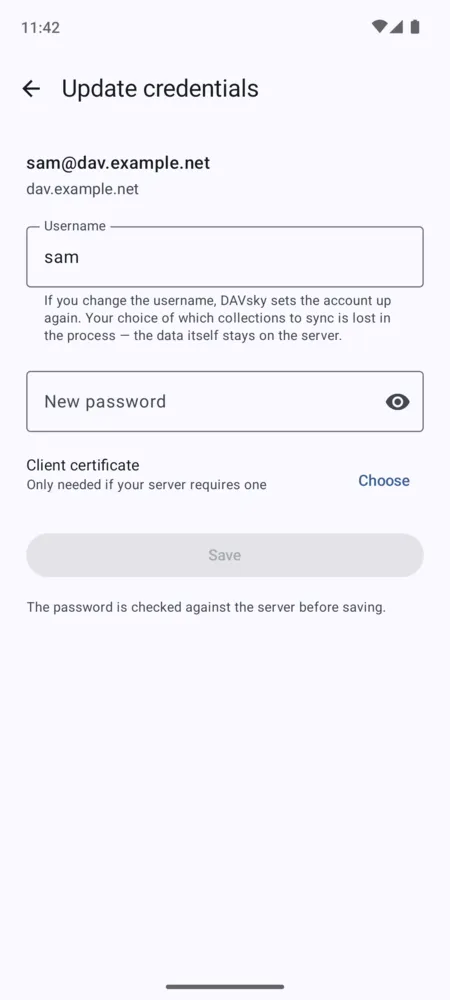
In the account view, tap the three dots and choose “Update credentials”. DAVsky checks the new password against the server before it saves it. The account stays, including your choice of calendars and address books.
Help from support
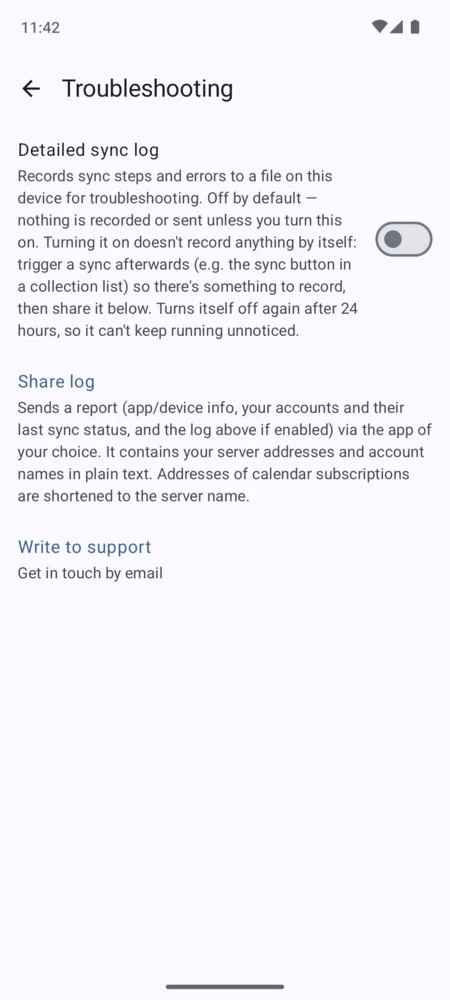
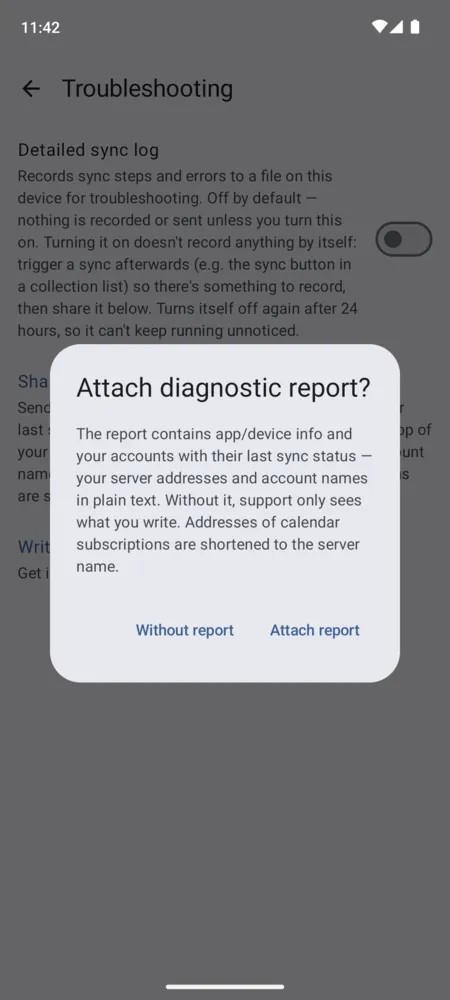
Under Settings, “Troubleshooting” you find “Write to support”. Before it sends anything, DAVsky asks whether to attach a diagnostic report. It contains app and device info and your accounts with their last sync status, with server addresses and account names in plain text. You decide: “Attach report” or “Without report”. Without a report, support only sees what you write. The email address is support@rypox.com. If the device has no mail app, DAVsky shows the address so you can copy it.
Good to know
- Radicale task lists appear in OpenTasks or Tasks.org as soon as one of these apps is installed.
- DAVsky only connects over an encrypted connection (HTTPS). If Radicale runs without TLS, put a reverse proxy with a certificate in front of it or enable TLS in Radicale.
- If Radicale sits behind a reverse proxy in a subdirectory, enter the address with that directory, for example
example.net/radicale.